
How to Recover a Lost Share Code (Recover UKVI Account)
If you have lost your UK sharing code, you can get a new one through the “recover visa (UKVI) and immigration account service”. For this purpose, visit the gov.UK official website and provide your identity documents and date of birth. Once you recover your account, you can get a share code easily.
How To Recover The Lost Share Code?
You can retrieve your lost or forgotten code online via “recover visa (UKVI) and immigration account service”. For this purpose, you need the ident documents you used to create the account and your date of birth. Here is the detailed breakdown of it:
- First of all, visit the “recover visa (UKVI) and immigration account service” page on the official gov.uk website. Scroll down and click on the start button for further processing.
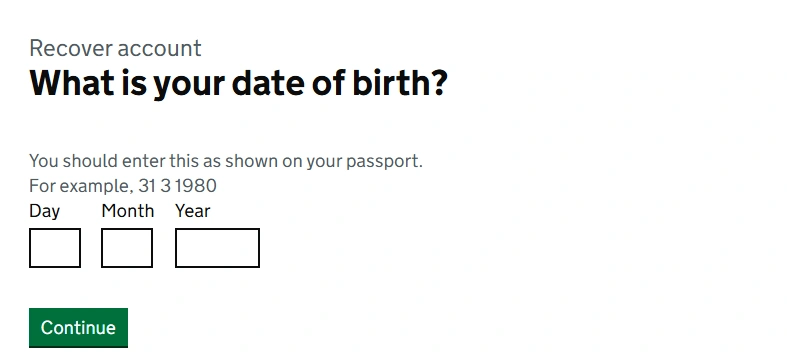
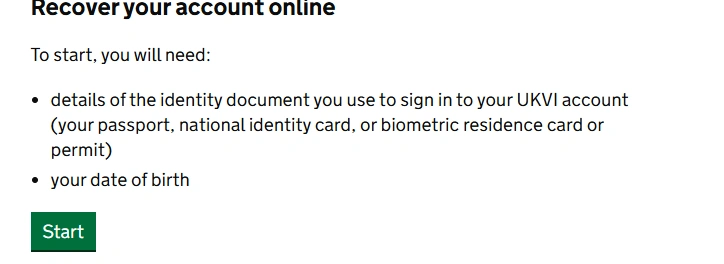
- Now choose the identity document that you used to create the account. You will get the following options:
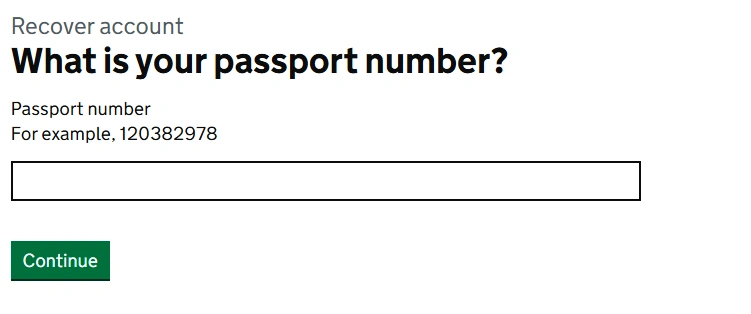
- Now provide the identity number of your selected document. For example, if you have selected the passport, provide your passport number in the required field. Once done, click on continue for further processing.
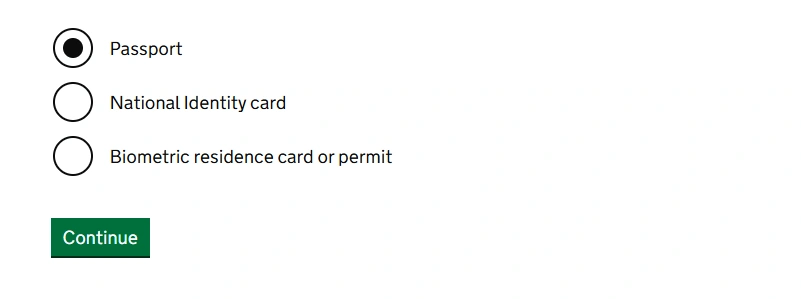
- Provide your passport number as shown on official documents. Ensure the number is valid and accurate. Click Continue to proceed.
- The system will verify your details and give you access to the account if the details are valid.
- Once you gain access to your account, you can view your immigration status and generate a new code.
Follow the above guide carefully for account recovery. This is the only solution to recover the lost code online.
How to Prove Your Rights Without Code?
If your code is lost and you have failed to recover the code, you can still prove all your rights in the UK. Here is how to prove rights without the share code:
British And Irish Citizens
British and Irish citizens do not need the code. They can prove your right by showing your:
Non-British and Irish Citizens
If you’re not able to generate a code, you can often use your original immigration documents. Acceptable alternatives include:
- Valid passport with a UK immigration endorsement (a stamp or vignette) showing your right to work or stay.
- Biometric Residence Permit (BRP) or Biometric Residence Card (BRC) (physical card) – only in specific situations, as many checks now use digital records
- Other home office documents confirming your right to work or rent
Employers and landlords must accept these documents if you present them in person for checking. Employers should perform a “manual right to work check” by seeing the original documents and making copies for their records.
Tips To Avoid Code Loss
The code is very important to prove your right to work, rent, settlement, studies, and immigration status. Therefore, you must keep the code secure to avoid code loss. Here are some practical tips that you should follow:
Above, I have shared the useful ways that I use to save my code. You can follow these tips to avoid the loss of code.
FAQs
Conclusion
If your code is lost, you can recover it via the “recover visa (UKVI) and immigration account” service. For this purpose, prove your identity using the official document and get access to your account.
You can also prove your right to work or rent in the UK without a code. Use your passport, BRP/BRC, or other immigration documents. If you have failed to recover your code online, contact the helpline for assistance.