
Share Code Not Working | Common Errors and Solutions
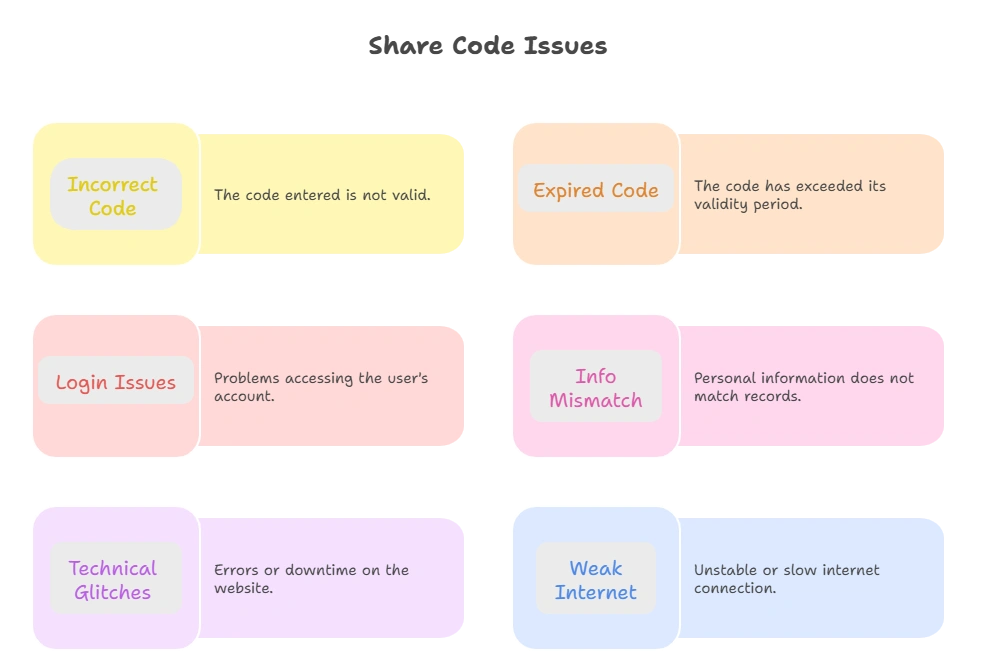
There can be certain reasons why your Share Code is not working to prove your Immigration status. First, ensure that your code is still valid. If it has expired, get a new share code online. But if it is still valid and not working, check that you have entered a valid date of birth. If the issue persists after a valid code and date of birth, contact the UKVI for help.
However, here are common errors and their solution to fix shared code working issues.

Why Is Share Code Not Working?
If your code is showing errors when you Share code check, there could be a lot of reasons behind it. Here are the reasons and solutions for why your right to work, rent, immigration status, and DVLA code are showing.
Check Code Validity
The code remains valid for 90 days, and it expires after that. Check the code expiry date and make sure that it is valid. The expiry date can be found on the code itself or on the Email you received while code generation. If the code has expired, generate a new code online
Check Details
Always ensure that you have entered the correct details. Make sure that you have entered a valid and correct code. Here are some symbols for different types of codes:
- Right-to-work codes start with “W”
- Right to rent codes start with “R”
- Other status checks “S”
Additionally, check that the date of birth you entered is according to your UKVI. Always enter the correct code and date of birth. There can be a lot of errors if your code details do not match.
System Issue
If your code is valid and you have entered the correct details, and the code is still not working, it may be due to technical errors. Sometimes, several technical issue occurs with the official website and therefore the code shows errors.
In such cases, wait for a while and try again. Hopefully, the issue will be resolved, and you can check your code successfully. But if the issues persist and your code check is not working, contact the UKVI support and report your issue.
You have Physical Documents
British and Irish citizens do not need a share code. They use their passports or other approved documents to prove their rights. If you are non-British and non-Irish and failed to generate your share code, you can still prove your rights via a UK visa and other official documents.
Other Possible Reasons
There are separate pages for checking the different types of code. You can check the right to rent, work, settlement, dvl on the separate pages of the official website. Therefore, make sure that you are using a relevant service page of the code.
All these are the possible reasons behind the errors in the code. If your code is not working, there can be one of the above issues with it. You can solve these issues with the above-provided guide.
However, if everything is correct and the code still shows errors, contact the UKVI helpline
Tips to Avoid Sharing Errors
This code is the most important way to provide your immigration status and rights in the United Kingdom. Therefore, always care about your code and avoid such reasons that can cause errors in the code. Here are some personally experienced tips that can be used to avoid the errors:
- Always use the latest code, and double-check the start letter
- Share your correct details: date of birth, full name, and share code
- Remind the checker to use the official GOV.UK portal for verification
- Never delete important support emails from UKVI.
- Contact the helpline and report your issue in case of any error
FAQs
Coclusion
There can be various reasons why the share code does not work. If your code is not working, check code is still valid. Make sure that you have entered the correct code and date of birth according to the official Visa. If the issue does not resolve, contact the helpline. The helpline will check your issue and provide you with a working solution.